

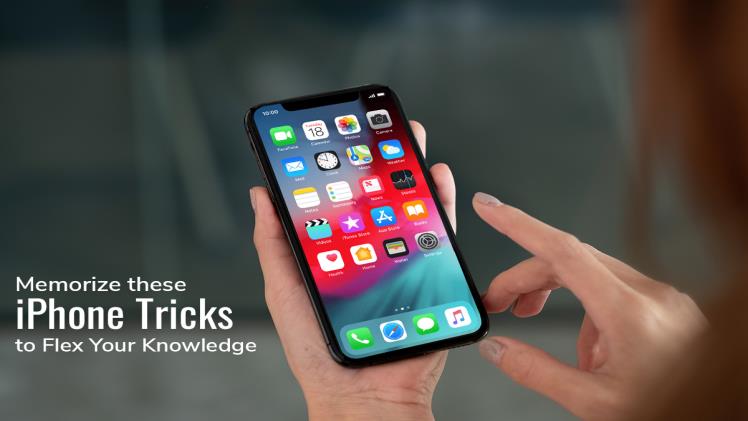
So, you’ve Got your Hands on the New iPhone? Congratulations!
iPhones are quite popular and for a good reason. These smartphones are well-known for their reliability, aesthetic design, consistent iOS updates, powerful processors, and enhanced security. However, if you recently migrated to iOS from Android, you may feel like you need help. Here’s a lowdown of the iPhone tricks that will familiarize you with your new phone in no time.
Recover Deleted Messages
Accidentally deleting text messages is something that everyone has encountered now and then. Luckily, you can retrieve deleted messages on your iPhone.
If you regularly take iCloud backups, you can launch the iCloud application > go to the Manage Storage tab > and tap Backups. Here, look for the deleted text messages and recover them.
Tag your Friends in Group Messages
Do you want to get your friend’s attention in a group chat? Then, you can tag them by typing @ followed by their name. You can also make the person’s name bold by hitting the spacebar or adding a punctuation mark. Then, the @ symbol will disappear.
The person you have tagged will receive a notification, and the message will be noticed in the sea of unnecessary chats.
Personalize the Home Screen
Personalizing the home screen is not a daunting task. Start by changing the background picture. You can also remove the app shortcuts to declutter the home screen.
To move the app shortcut to a different screen or to remove it, tap your finger on the shortcut and hold it down. When the shortcut starts shaking, drag it to another screen or tap the uninstall button.
Enable Dark Mode
The dark mode feature was introduced in iOS 13. If you are in the habit of using your phone in the dark, lying in bed, enabling the dark mode will significantly protect your eyes.
The feature can be enabled by going to the iPhone’s settings and tapping the Display and Brightness tab.
One Tap Scrolling
No need to scroll down a webpage and back up again vigorously. If you want to return to the top, simply tap the top center of the screen, and you’ll be pulled back to the top. The feature also works everywhere on your phone, including settings screens and applications.
You can use this feature with your email application and Instagram to get back on top without furiously flip-scrolling.
Keep your Photos Hidden from Snoopers
You may have sensitive pictures that you don’t want anyone to see. Within the Photos application, you can hide images from appearing in the general photo library. In addition, you can keep all the sensitive photos hidden away from snoopers when the Photos app is opened.
You can hide a picture by tapping on one or choosing a few of them and then tapping the share button. You must scroll down until you find the Hide option and then select that option.
The photos you have hidden can be found by going to Albums and then scrolling down until you find the Hidden folder. However, if you do not want the Hidden folder to be seen at all, you can hide it by going to Settings and then turning it off within the Photos app.
In iOS 16, released in 2022, the Recently Deleted and Hidden photo albums will prompt you to provide your passcode to view the contents. Therefore, you don’t have to worry about snoopers; your photos will remain hidden.
Use Text Replacement
Text replacement is an excellent feature if you want to save your time typing long, regular sentences. Thanks to this feature, you can transform random characters into sensible things and no longer have to remember difficult things like your friend’s home address, complicated email address, etc.
Go to Settings > tap General > tap Keyboard > tap Text Replacement. Then, you can add whatever suits you. For instance, you can use ’eml’ to expand your email address or create a text replacement for your office address if you need to type that out regularly. However, it would be best if you remembered not to use standard codes that might be confused with something else.
Since text replacements sync across iCloud, so you can use these on your iPad and Mac.
Enhance phone Security by locking it
Are you worried someone might compel you to unlock your phone with biometrics? You can disable Touch and Face IDs.
If you’re using an iPhone 8 or later, hold the button on the right and either of the volume buttons simultaneously for two seconds. This will bring up a screen to switch off your phone, get to Emergency SOS or see Medical ID. When this screen comes up, it will also disable biometrics. So, you will need to re-enter the passcode to open your phone.
The Bottom Line
Knowing these iPhone tricks will help you flex your knowledge, and you can make the most of these smartphones.
